

Your cart is empty!
 |
| 

How to Check Your Gift Card Balance — Every Way, Step by Step
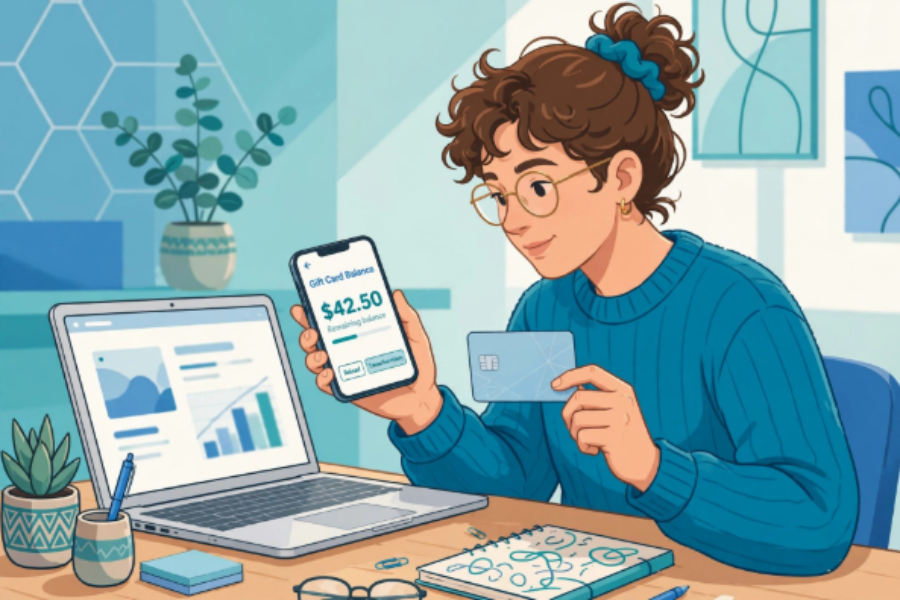
How to Check Your Gift Card Balance: Every Way, Step by Step
You can check almost any gift card balance in under a minute, in one of three ways: on the brand's website, by calling the number on the back of the card, or in store at the register. You will need the card number and, for many brands, the PIN or security code hidden under a scratch-off panel on the back. Start with the brand's official balance page — never pay a third-party site to check a balance for you.
This guide explains each method step by step, what to do before you check, how to check popular brands like Starbucks and Walmart, and how to fix the most common problems. If you bought a discounted card, checking the balance as soon as it arrives is the single best habit you can build: it confirms the card is good while you are still well inside your guarantee window.
What you need before you check
Find the long card number, usually on the back of a physical card or in the delivery email for an eGift. Then look for the PIN. On physical cards it is often covered by a silver scratch-off strip or a peel-off label. Scratch gently with a coin — scratching hard can damage the numbers underneath. For an eGift, the PIN is in the same email as the card number, sometimes behind a “show PIN” or “claim” link.
Keep the card and the email together until the balance is spent. If you ever need help from the brand or from us, the card number is the first thing support will ask for. Do not share the full number and PIN in public, in a photo, or with anyone who contacts you out of the blue claiming they need it to “verify” your card.
Method 1: Check your balance online
Go to the brand's official website and look for “Gift Cards” — usually in the top menu or the footer.
Choose “Check balance.”
Enter the card number and PIN or security code exactly as shown, with no spaces unless the form adds them.
Complete any captcha, then submit. Your balance and sometimes recent transactions will appear.
Take a screenshot or write the amount and the date on the card sleeve.
This is the fastest method for most brands and the one we recommend first. Our balance page at /gift-card/balance.html is a good starting point, with guidance for the brands we sell. If a brand's site asks you to sign in, that is normal for some coffee and retail programs — Starbucks, for example, lets you check at starbucks.com/card and in its app.
Method 2: Check your balance by phone
Turn the card over. Most brands print a customer service number on the back, and many have an automated balance line that works without speaking to anyone. Call the number, choose the gift card or balance option, and enter the card number and PIN using your keypad when asked.
Phone checking is useful when a website is down, when the PIN will not scratch cleanly, or when you are checking an older card. For two popular brands, the widely published official numbers are Starbucks at 1-800-782-7282 and Walmart at 1-888-537-5503. For any other brand, use the number printed on the back of your card rather than a number from a random website — that is the safest rule in this whole guide.
Method 3: Check your balance in store
Any cashier or customer service desk can scan or swipe the card and tell you the balance, and most can print it on a receipt. This is the best method if the stripe or barcode is damaged, if the online checker keeps rejecting the number, or if you are already in the store about to pay.
Ask before you order or check out, not after, so you know how much of the bill the card will cover. If the card will not read at all, ask the store to try entering the number by hand.
How to check a Starbucks gift card balance
You have four options: online at starbucks.com/card, in the Starbucks app after adding the card to your account, in store by asking the barista or cashier, or by phone at 1-800-782-7282. Adding the card to the app is worth doing if you visit often, because the balance stays visible and you can pay by phone. We cover this in full in our guide to checking your Starbucks balance at /check-starbucks-gift-card-balance.html, and you can browse Starbucks cards at /starbucks.html when they are in stock.
How to check a Walmart gift card balance
Check online on Walmart's gift card balance page at walmart.com, in the Walmart app, in store at any register or customer service desk, or by phone at 1-888-537-5503. You will need the card number and PIN from the back of the card. Our dedicated Walmart guide at /check-walmart-gift-card-balance.html walks through each screen, and /walmart.html is where Walmart cards are listed when available.
Common problems — and how to fix them
The website says my card number is invalid
Re-type the number slowly and check for similar characters: 0 and O, 1 and I, 5 and S. Remove spaces and dashes unless the form expects them. If you copied the number from an email, make sure you did not copy an order number or a partial number by mistake.
My PIN is damaged or unreadable
Do not guess repeatedly — some brands lock a card after too many wrong attempts. Call the number on the back of the card or take the card in store, where staff can often read the balance from the stripe or barcode even when the PIN panel is damaged.
The balance is lower than I expected
Check the transaction history if the brand shows one. A partial spend is the usual explanation. If you bought the card discounted and the balance was wrong on arrival, contact the seller's support straight away with the card number and your order details — do not wait.
The balance shows zero
First, rule out a typing error and try a second method — phone or in store. If two methods agree the card is empty and you bought it recently, that is exactly what a guarantee is for. On GiftCardSaving, regular purchases carry a 60-day money-back guarantee from the purchase date covering invalid or depleted cards.
Special notes for discounted and pre-owned cards
Discounted cards are pre-owned, which makes one routine essential: check the balance the day the card arrives, write down the amount, and plan to use it within the guarantee window. eGifts are delivered by email usually within an hour, sometimes longer for verification, so check your inbox and spam folder before you worry.
Our FAQ notes that gift cards on the site do not expire, but we still advise redeeming within the guarantee window. A card that sits in a drawer for a year is a card you can no longer get simple help with if something is wrong. Checking early costs you one minute and removes almost all the risk.
Is it free to check a gift card balance?
Yes. The brand's website, phone line and stores check balances for free. Never pay a website that offers to check a balance for a fee, and never enter your card number and PIN on a site you do not trust.
Can I check a balance without the PIN?
Sometimes, in store or by phone, where staff can use the card number, stripe or barcode. Online checkers usually require the PIN. If your PIN is damaged, in store is your best option.
What should I do if a discounted card arrives with the wrong balance?
Contact support immediately — do not spend part of it and hope for the best. For GiftCardSaving purchases, email [email protected] or text 818-938-0041 (text only), with your order number and the card details.
How often should I check balances on cards I own?
When a card arrives, before a big shop, and any time you find an old card in a drawer. Balances do not manage themselves — a two-minute check tells you what you actually have to spend or sell.
Found a balance you will not use? Do not let it sit. Sell your unwanted gift cards at /gift-card/sell.html and turn the balance into cash instead.
